
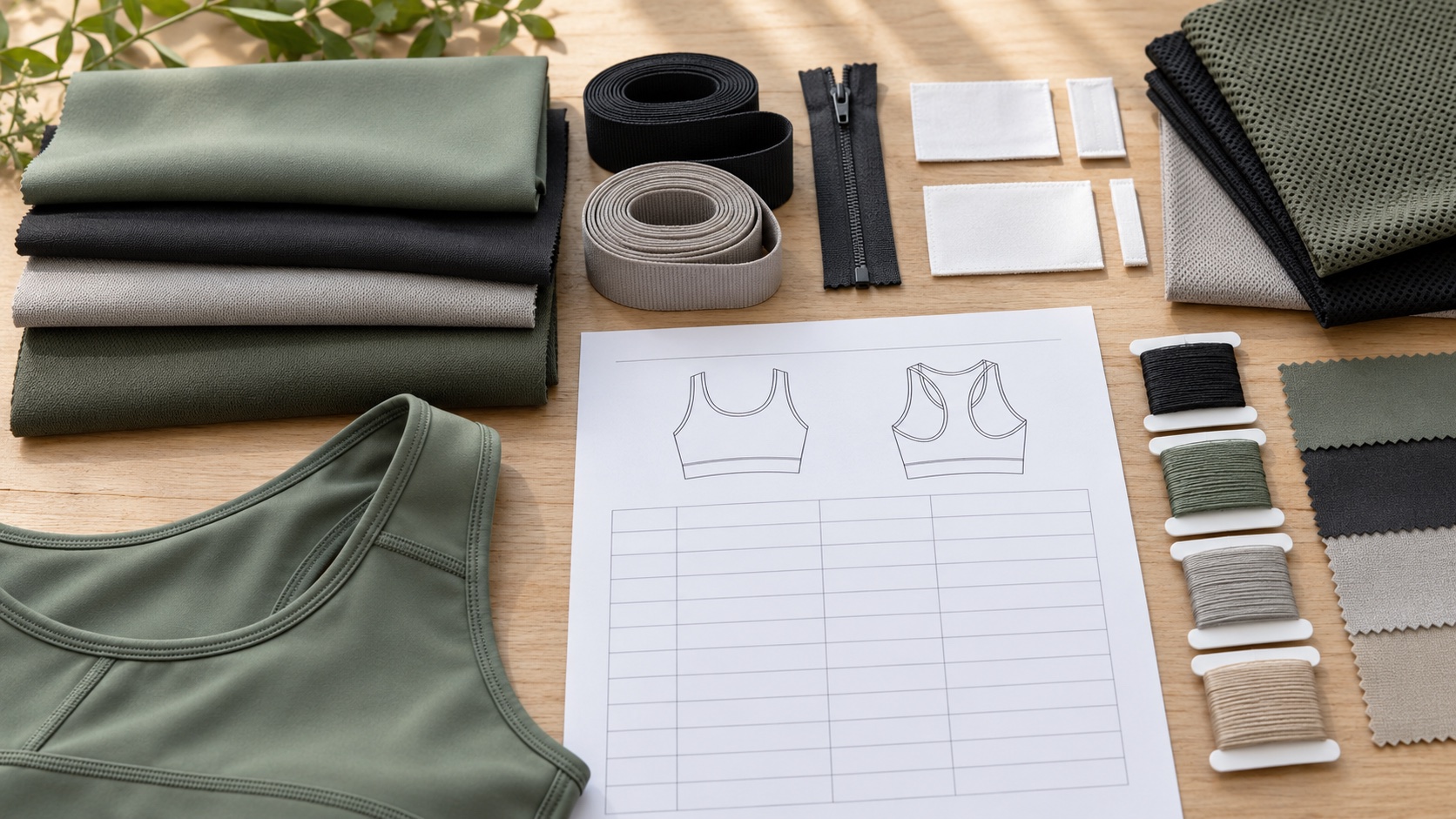
An activewear bill of materials (BOM) lists the components for one defined garment version. It identifies each fabric and trim, where and in which colour it is used, the unit or usage basis, current revision, approval state and open decisions. It supports sourcing and production handoff, but does not replace the tech pack, quotation or sample approval.
For a B2B project, start the BOM when the product direction is clear enough to name its components. Keep assumptions visible, mark hypothetical examples as such, and approve substitutions against the actual garment and evidence required by the project. If you need a new fit, fabric, construction or sample route, use the custom activewear development path. This guide explains the BOM layer within that work, while a tech pack checklist covers the wider production instructions and an activewear RFQ organizes quote inputs.
What does an activewear bill of materials do?
A BOM answers a focused question: which components belong to this product version, and what does the team currently know or need to decide about each one? It gives the product team a place to name shell fabric, lining, elastic, thread, closures, labels, packaging components and other included items. A clear record helps a buyer see what is confirmed, what remains a proposal and what change may affect another component.
The BOM is useful because garment names alone do not identify a complete product. Two leggings can share a style name but use different shell fabrics, waistband elastic, pocket bags, heat transfers, labels or packing instructions. If a decision changes, the team needs to know which version it affects. The BOM makes those dependencies reviewable; it does not prove that a material has been tested or that a proposed component will perform in a particular way.
A BOM can also help a team prepare a better handoff. The designer can name the material direction and placement; sourcing can ask for a matching material reference; the factory can flag a missing choice; and the buyer can approve, reject or defer a proposed substitution. Each role sees the same revision and can identify what is still unresolved before the next sample or quotation discussion.
What is the difference between a BOM, a tech pack and an RFQ?
These documents support related decisions, but they do different jobs. The BOM is the component register. A tech pack is the wider technical package for building a style, often including construction notes, points of measure, artwork, labels, and other instructions. An RFQ describes the project and commercial inputs a supplier needs to discuss a quotation. One may reference another, but they should not be collapsed into one ambiguous file.
| Working document | Main question it answers | Typical content | What it does not settle by itself |
|---|---|---|---|
| Bill of materials | Which components belong to this style and revision? | Component name, material reference, colour, placement, unit, status and notes | Construction method, fit approval, final cost or production release |
| Tech pack | How should the style be developed and interpreted? | Design views, construction, measurements, materials, artwork and finishing instructions | Whether commercial terms or every material choice are approved |
| RFQ or sourcing brief | What project scope should the supplier review? | Style list, target market, proposed quantity, sample questions, branding, packing and timing needs | A final specification when decisions remain open |
| Sample approval record | Which physical or digital sample was reviewed, and what was decided? | Sample identity, revision, observations, action owner and decision | A permanent update to the BOM unless the record is incorporated |
A good handoff links the records with identifiers rather than repeating inconsistent details in each file. The BOM can state “shell fabric reference A, colourway C2, proposed” while the tech pack contains the construction drawing that shows where the shell is used. The RFQ can state that the material is not yet approved and ask for a sourcing discussion. When the material is accepted, update the status and revision in the controlled record.
Which fields belong in an activewear BOM template?
A useful activewear BOM template starts with style-level identifiers and then gives each component its own row. Use the fields that help the team identify, source, review or approve that component. Avoid filling a cell with invented precision just because the template has a column. “To confirm with supplier” is more useful than an unverified fibre percentage or usage allowance.
| Field | What to record | Example state | Why it helps |
|---|---|---|---|
| Style and product version | Style ID, garment name, collection, revision and date | Draft R02 | Connects the list to one garment brief |
| Component ID | Stable row number or short component code | FAB-01 | Makes comments and substitutions specific |
| Component name and role | Shell, lining, pocket bag, waistband elastic, zipper, label | Waistband elastic | Distinguishes similar items |
| Material reference | Supplier swatch, internal code, artwork file or linked specification | Reference pending | Makes the intended source traceable |
| Colour and placement | Colourway ID, colour reference and garment location | Black / inside waistband | Prevents colour or placement ambiguity |
| Composition or construction | Confirmed composition or construction details, if available | Pending supplier confirmation | Separates confirmed facts from assumptions |
| Unit and usage basis | Unit used for sourcing or estimating, plus calculation basis if known | Per garment, estimate pending | Prevents unlike estimates from being compared |
| Status and evidence | Proposed, reviewed, approved, rejected or superseded; link to evidence | Proposed; swatch review open | Shows whether the choice is ready for the next step |
| Substitution rule | Whether an alternative may be proposed and who must approve it | No substitution without buyer approval | Protects a critical product choice |
| Owner and date | Person responsible for the next decision and when it was recorded | Designer; date of review | Keeps open decisions actionable |
Teams can add supplier name, width, weight, finish or other technical details when those facts are available and relevant. They can also link to a swatch image or material specification. Do not treat a generic fabric description as an exact purchasing reference. If a supplier code is temporary, label it as temporary and record the source that will replace it after confirmation.
How should fabrics be listed by colourway and garment zone?
Treat the fabric as a component and identify both its material reference and where it appears. A leggings BOM might distinguish the main body, gusset, pocket bag and waistband facing if those parts use different fabrics. A sports bra could distinguish outer body, lining and a power mesh or other internal layer when specified. These names are examples of record structure, not a recommendation that every garment should use those materials.
Colour can affect sourcing and approval, so do not rely on a collection name alone. Give each colourway a stable identifier and associate the component with the intended colour or approved reference. If a shell fabric is shared across three colours, show whether the material reference is common and the colour choice varies. If a contrast panel uses another fabric, list it separately so the artwork, swatch and sample review can refer to the right zone.
A material page such as Fabrics & Trims can help teams frame the questions they need to ask about available fabric directions and trims. Final construction, composition, finish, shade and availability still require confirmation for the project. A photo can help explain a surface or colour direction, but it is not always a reliable substitute for a physical swatch or an agreed colour reference.
For each colourway, ask whether a change affects more than appearance. A different base fabric or colour process can alter the available matching elastic, thread, zipper tape or logo treatment. Record those related items as separate rows and link them to the colourway. If the same trim is proposed for every colour, mark that relationship explicitly and keep any exceptions visible.
How do trims, labels and packaging fit into the BOM?
List trims as components when the project needs them to be sourced, reviewed or controlled with the garment. Depending on the product, that can include waistband elastic, drawcords, zipper, slider, binding, hook-and-loop, thread, heat-transfer label, woven main label, care label, hangtag, poly bag or carton marking. The right list depends on the actual design and order scope. A component that is not part of the style should not be added just to make a template look complete.
Give each trim a role, placement, reference and colour. For a zipper, a team may need to identify the garment opening, approximate length or requested appearance, but technical choices should remain open until the actual design and sample route have been reviewed. For labels, distinguish the brand label from care or size information. The content and artwork may be owned or approved by the brand even when a supplier helps coordinate the physical component.
How should a team record unit and usage without inventing quantities?
Every number in a BOM needs a basis. A component may be counted per garment, measured by length, purchased by a roll, or ordered by a pack. Those units are not interchangeable. If usage has not been calculated or confirmed, state that the quantity is pending rather than copying a number from a different style. If a preliminary estimate is useful for a discussion, label its method and status.
For example, a fictional worksheet might list one zipper per garment, elastic usage as “estimate pending pattern review,” and a fabric estimate as “to be calculated from approved marker and size mix.” The zipper count is a clearly stated design assumption in this teaching example; the other entries remain open. These are not inPACE order quantities or production consumption figures. Real BOM quantities depend on the pattern, sizes, construction, material width, waste assumptions, order mix and approved packing plan.
Avoid false precision. An estimate with three decimal places can still be wrong if the marker, material width or size mix is unknown. Record the source and date of an estimate, then replace it when a better basis becomes available. Preserve the previous value in revision history rather than overwriting it without explanation.
How can the BOM prevent unapproved material substitutions?
A substitution is a proposed change to a named component, not a silent replacement of one supplier reference with another. Record the current approved item, proposed alternative, reason for the proposal, affected garment zones and evidence required for review. Then name who can approve it and what the approval applies to. The supplier may identify options, but the buyer or designated product owner should decide whether the substitute fits the project brief.
A substitute may look similar while differing in handfeel, stretch response, recovery, thickness, surface, colour, care needs or compatibility with a logo process. These are questions to assess on the actual material and garment. Do not state that an alternative is equivalent unless the parties have defined the criteria and reviewed supporting evidence. A matching colour card does not establish identical garment behaviour.
A practical BOM note might say: “Alternative elastic proposed for review; compare width, recovery and attachment behaviour on the revised sample; no production use until the buyer records approval.” It states a next step without claiming a performance result. If the change affects fit or construction, route the decision to the relevant sample and technical records as well.
For a high-impact component, require approval before it is used in the sample or production stage specified by the project. For a low-impact item, the team may agree a bounded substitution rule, but define it in writing. “Equivalent available” is not a usable rule unless equivalence has a defined basis, an approver and an exception process. Keep the approval tied to a component reference and revision so it cannot be misread as blanket permission for future alternatives.
What does good BOM version control look like?
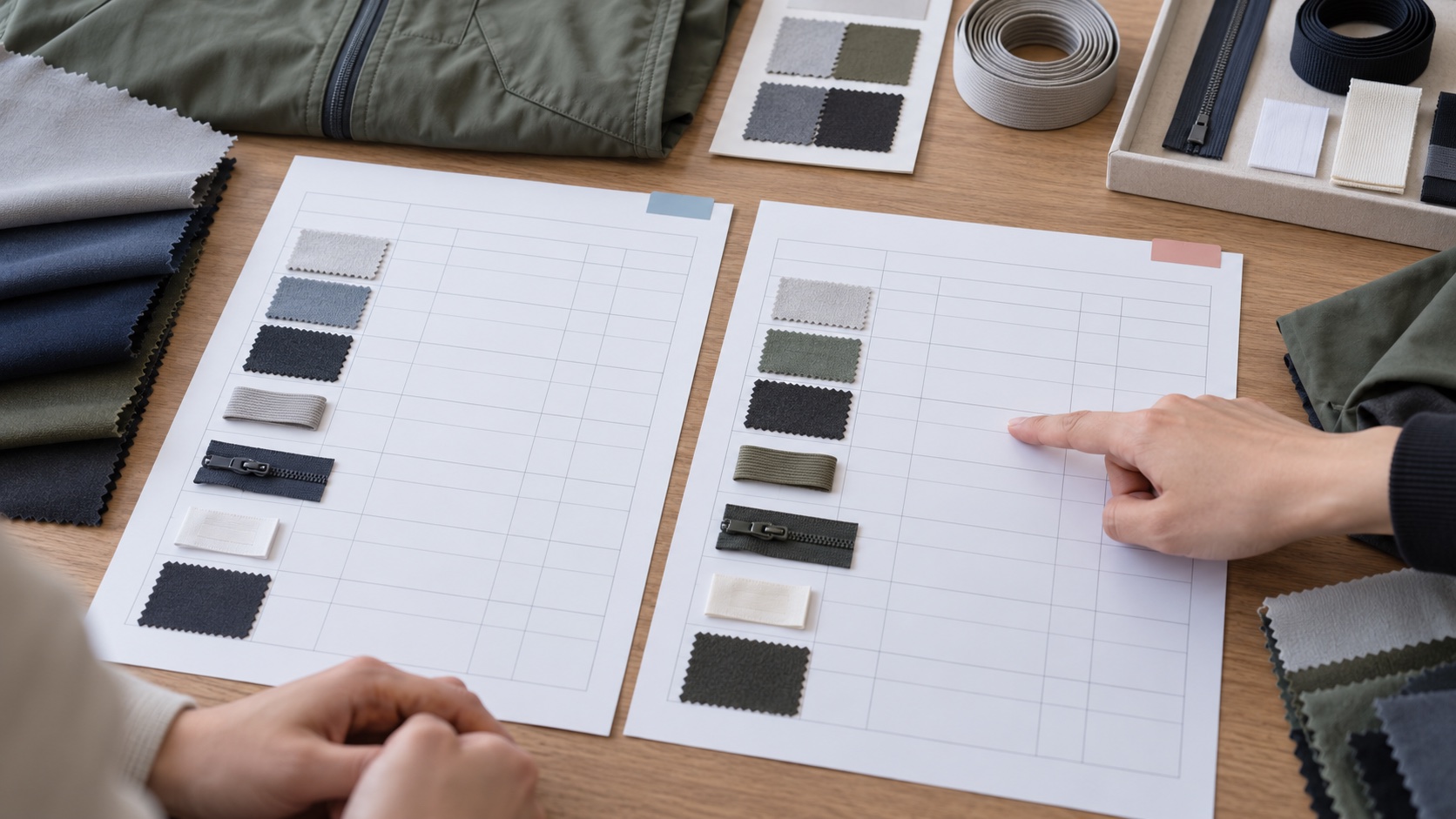
*Illustrative revision-control scene; the worksheets do not show a real order or approved material record.*
A BOM should make it possible to tell which version is current, what changed and what decision prompted the change. Put the revision, date, status and style identifier in the file and retain a concise change log. Avoid filenames such as “final,” “final-new” and “final-approved2” without a controlled revision. A new revision should clearly supersede a prior one rather than erase its history.
| Change event | BOM action | Related record to check | Release question |
|---|---|---|---|
| Shell fabric reference changes | Update component reference, colour mapping and status | Swatch review, tech pack and sample notes | Was the intended fabric reviewed on the applicable garment? |
| Trim colour changes | Update the affected rows and affected colourways | Artwork, label or colour approval record | Does the change apply to every colourway or only one? |
| Proposed substitute is accepted | Record the replacement and approval evidence | Sample or review record, quotation assumptions | Which stage and order scope does the approval cover? |
| Pattern or zone changes | Recheck affected components and usage basis | Tech pack, pattern or sample revision | Do old consumption assumptions still apply? |
| Packaging instruction changes | Revise the packing component or linked instruction | Packaging brief and order handoff | Does the change affect piece-level or carton-level handling? |
Keep the change log short but specific: revision, date, component ID, previous state, new state, reason, approver and evidence reference. If a change affects only one colourway, state that explicitly. If a revision updates a supplier reference but not the intended material direction, say so. A reviewer should not have to diff two large files to discover whether a critical elastic or label changed.
Use access control and a shared source of truth appropriate to the team's systems. A PDF may be convenient for review, but it can become stale if the editable record changes later. When sharing a PDF, include the same revision and date as the working record and make its status clear. Store the approval response with the item or link it by stable identifier.
How does the BOM connect to samples and production handoff?
The BOM is most useful when the listed components can be traced to the sample that was reviewed. Identify the sample by style, size, fabric and revision, then record which BOM version informed it. If the sample used an unapproved substitute, note the difference; do not let a reviewer assume the component matched the intended production material. The sample-to-bulk production guide explains the wider handoff decisions between sample review and production planning.
A sample can reveal that an item on the BOM needs clarification. The zipper may need a different length; a label may sit in an uncomfortable position; or a trim may require a revised colour reference. Record the observation, owner and decision. If the team changes the component, issue an updated BOM and connect it to the next sample or approval record. A comment in a chat can start a discussion, but it should not be the only record of an approved change.
Before a production discussion, reconcile the current BOM with the tech pack, approved artwork, sample identity and RFQ assumptions. Check that each file points to compatible revisions. Mark unresolved components and identify whether they block sampling, a quotation, production release or only a later confirmation. Different questions can have different deadlines, but the owner should be clear.
A component being listed is not the same as being approved. A sample-stage approval may confirm that a direction is suitable for another review, while production approval may require a specific material reference and complete order scope. State the exact decision, sample or material, colourway and revision. If an order changes after approval, review the affected records before relying on the older decision.
How should designers use a BOM for different activewear products?
Start with the garment zones and decisions that matter for that style. For leggings, a team could separate shell, gusset lining, pocket bag, waistband elastic, drawcord if present, logo application and labels. For a sports bra, it could separate shell, lining, internal support components when specified, elastic, strap hardware, logo and labels. A training top may add a zipper, collar components, cuff or hem construction, and pocket bags. These are possible component categories, not mandatory requirements for every garment.
A product reference helps identify the scope but does not establish the material or construction for a new project. For example, the wide-strap longline sports bra reference can help the designer name a silhouette for discussion. Its public image does not certify fabric composition, internal layers, fit, support or the BOM of a proposed order. The buyer and factory should align those details through the actual brief and sample process.
For a multi-style collection, use a consistent component ID system while keeping style-level BOMs distinct. Shared fabric references can be linked to a common material library, but each garment should still record its own placement, colourway, unit basis and approval state. If one trim is used on several styles, a shared reference can reduce duplicate entry; changes still need an impact check across all affected BOMs.
Which BOM mistakes create the most confusion?
The first common problem is mixing proposed and approved items. A material swatch may be under review while the BOM says only “fabric.” Add the reference and status so a reader can distinguish a direction from a decision. Another problem is recording a supplier code without enough context; if the supplier changes the code or the team changes source, the next reviewer may not know what the code represented. Keep a description and evidence link with the reference.
A third problem is putting multiple components into one row. “Main fabric, elastic and label” prevents the team from recording separate colours, units, sources, approvals and substitutions. Split components that can change independently. Conversely, avoid fragmenting a single sourced item into numerous rows unless the project needs those distinctions. The test is whether the team would need a separate decision or record for the item.
The fourth problem is overwriting the current version without keeping the previous state. That makes it hard to tell whether a quote or sample used an earlier material. Add a revision and change log. The fifth is treating a generic usage figure as a confirmed consumption. State the source and basis or leave it pending. The sixth is approving a substitute without stating whether approval applies to a sample, a specific order or future reorders. Capture the scope explicitly.
Finally, a BOM may be meticulously filled but disconnected from the physical sample and the person who approved it. Link the records and name the decision owner. A compact, current list with clear open questions is more valuable than a large table whose status and evidence cannot be trusted.
What should a buyer prepare before sharing a BOM?
Before asking a factory to review the list, confirm the style identifier, revision and intended use of the file. Mark each component as confirmed, proposed or unknown. Link available fabric and trim references, artwork and colour information. If a choice is open, phrase it as a question and say whether the team needs advice, an availability check, a sample or a quote assumption.
Use this preparation checklist:
- Give each style and colourway a stable identifier, and name the BOM revision and date.
- Separate components that may have different sources, colours, units or approval owners.
- Link material cards, swatches, artwork, label content and other references where they exist.
- Mark each choice as proposed, under review, approved for sample, approved for production, rejected or superseded.
- State the unit and quantity basis; identify estimates and leave unsupported usage blank or pending.
- Describe whether a substitute may be proposed and who must approve it.
- Link the BOM to the current tech pack, RFQ, sample record and any relevant packaging instruction.
- List open decisions, their owners and the stage at which each decision is needed.
- Identify any component whose change could affect fit, construction, branding or another colourway.
- Ask the supplier to state assumptions separately from confirmed material information.
When the team is ready to discuss a project, share the style reference, approved materials and trims, colourways, proposed substitutions and current revision through the custom activewear contact route. Include the sample or production stage the BOM is intended to support. inPACE can review the brief and identify where a material or component needs confirmation; final choices depend on the actual project scope and approvals.
A practical BOM is a controlled conversation
An effective activewear bill of materials makes component decisions easy to identify and safe to revise. It names the style and revision, separates fabrics and trims, distinguishes proposed items from approvals, states units and assumptions, and links every change to the right sample or technical record. That structure helps a design team and a factory discuss substitutions and production handoff without mistaking a working estimate for a confirmed requirement.
Product directions
Explore relevant activewear products
Use these product pages as practical references for your brief, then confirm materials, fit, customization, and production details through sampling.
Fabrics & Trims
Use this resource to frame the fabric, colour and component questions that belong in a project BOM.
View product directionCustom Activewear Development
Discuss a new fit, fabric, construction or sample route alongside the component register.
View product directionPrivate Label Activewear
Connect labels and branded components to an identified product direction and approved scope.
View product directionFAQ
Buyer questions
What does BOM stand for in garment manufacturing?
BOM stands for bill of materials. In garment development it is a structured list of components associated with a defined style and version, such as fabrics, trims, labels and other included items. The exact fields depend on what the team needs to source and approve.
Is an activewear BOM the same as a tech pack?
No. A BOM identifies the style's components and their references, units and status. A tech pack is the wider technical package, which may include construction, measurements, artwork and other instructions. The BOM should link to the applicable tech pack revision where the two records work together.
Does a BOM include fabric consumption and costing?
It can include a usage basis or estimate when the source and assumptions are known, but it does not automatically establish final consumption or cost. Pattern, material width, size mix, construction, waste assumptions and order scope can affect estimates. Label preliminary values and have the relevant team confirm them.
How should a buyer approve a substitute fabric or trim?
Record the current item, proposed substitute, reason for the change, affected garment zones, evidence required and authorized approver. Tie the decision to a sample, material reference, colourway and revision. Do not treat an unreviewed alternative as approved simply because its description appears similar.
Can one BOM cover several activewear styles?
A shared material library can support several styles, but each style should retain a BOM that identifies its own component placements, colourways, units and approval state. Link shared references instead of merging the garment-specific decisions into one ambiguous list.
When should a BOM revision be issued?
Issue a revision when a component reference, colour, placement, unit basis, substitution decision or other controlled BOM detail changes. Record the date, reason, previous and new state, owner and evidence. Also check related tech pack and sample records for consistency.
Can an online BOM template be used for production?
A blank template can help organize questions, but it is not production-ready until the project fills and approves the relevant fields and links it to the correct technical and sample records. Use project-specific units, status definitions and approval responsibilities; do not copy hypothetical figures as manufacturing instructions.